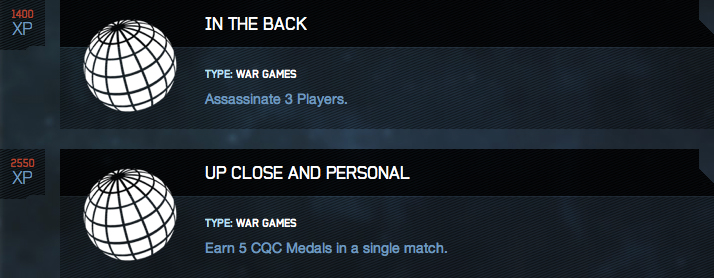
I’d love to get a Flagsassination to coincide with the challenge today!

I’d love to get a Flagsassination to coincide with the challenge today!
UPDATE: The-Halo-Bulletin–1-16-13
BS Angel posted this on Waypoint regarding Fileshare activation. Late january for XBOX Live and late February for online. YEAH!

Thanks for littleenglishhaloblog for the heads up on this via twitter.
In honor of our favorite Spartan, Master Chief, John-117, let’s have some FUN playing Halo!!!!
Happy 117 day!
-Sal
Following on the heels of yesterday’s Mega Bloks Broadsword comes these official concept sketches from “Sparth” of 343 of the Broadsword.
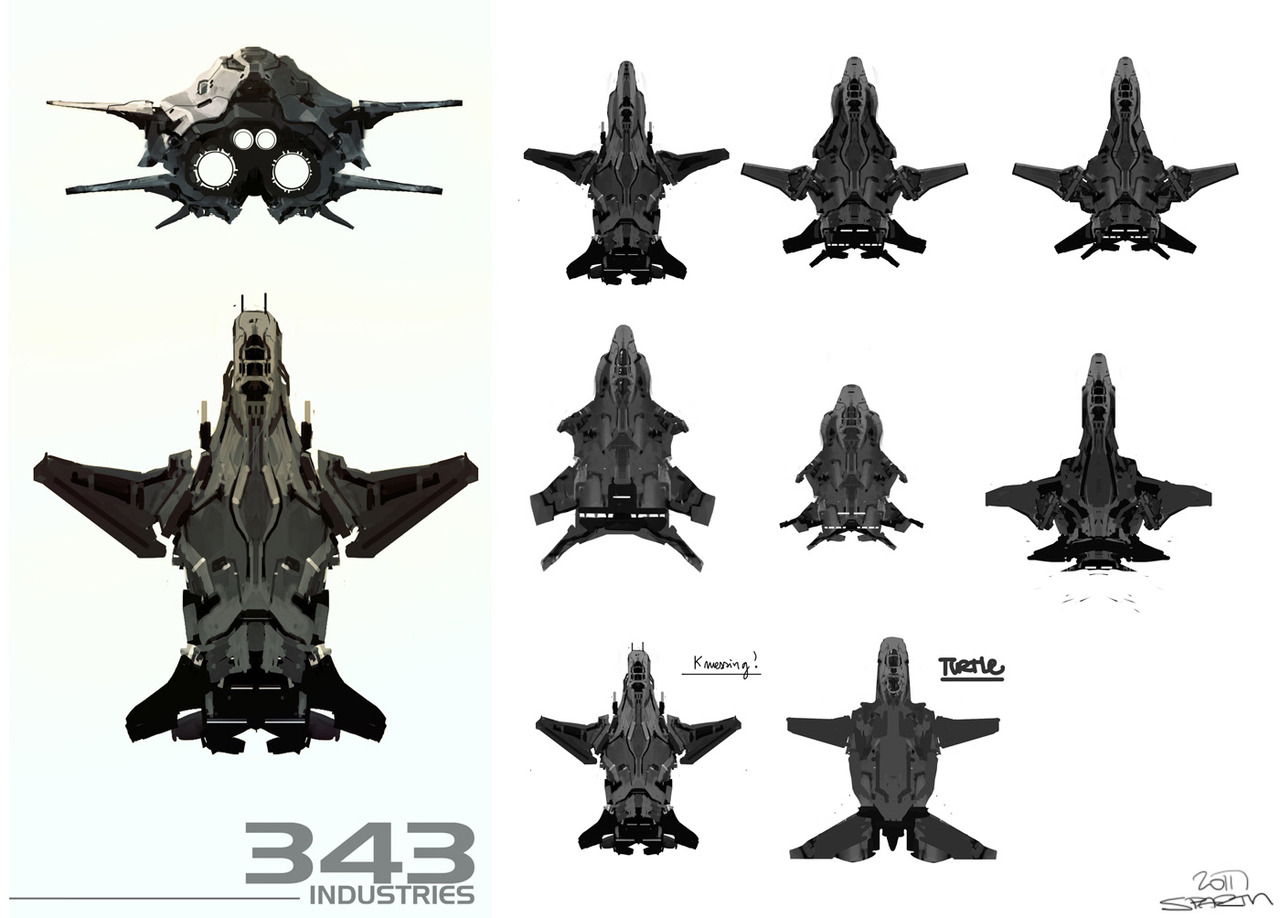
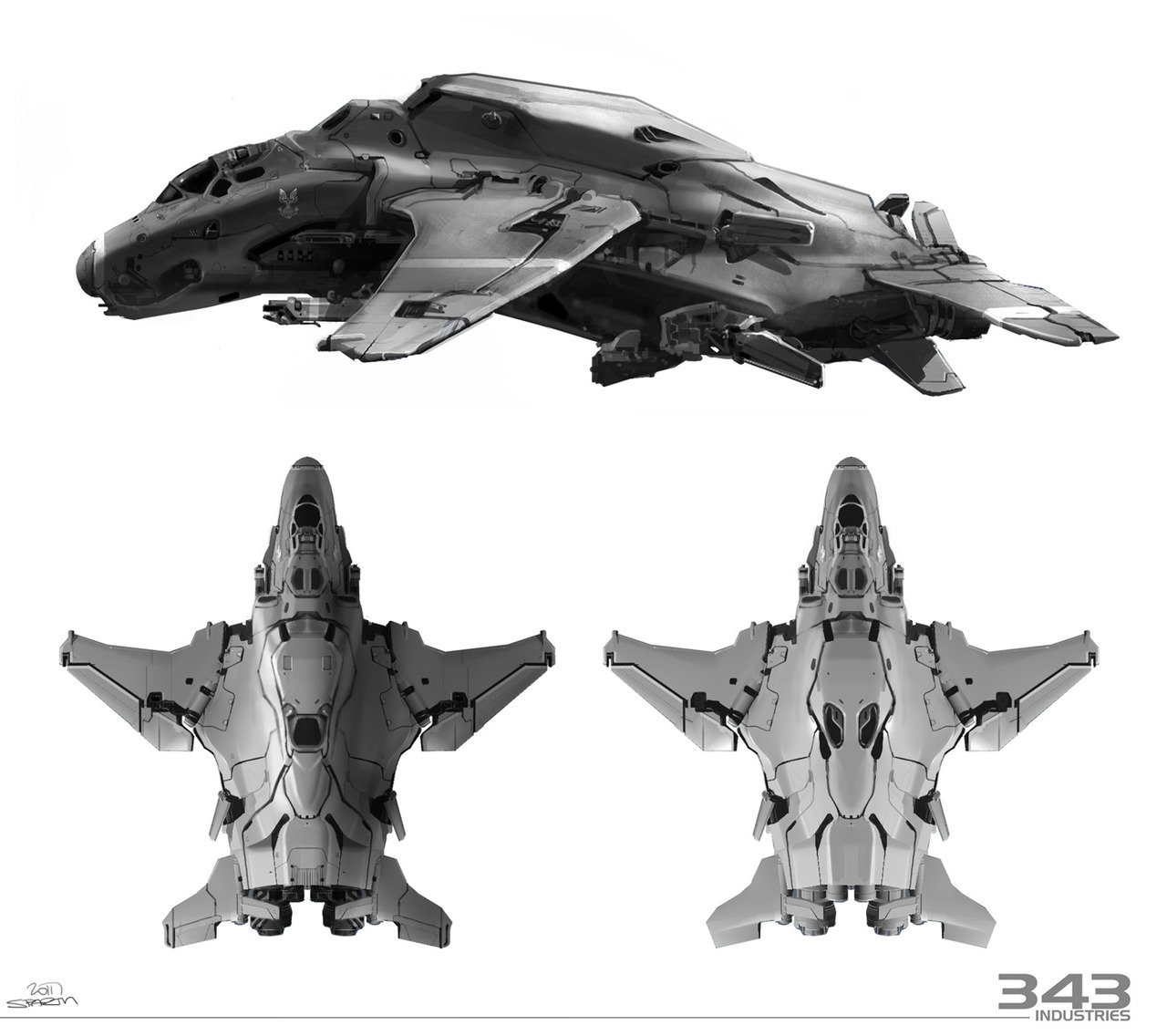
I love concept art if you folks haven’t noticed, LOL.
-Sal
Today is 117! Here are the challenges for the day.
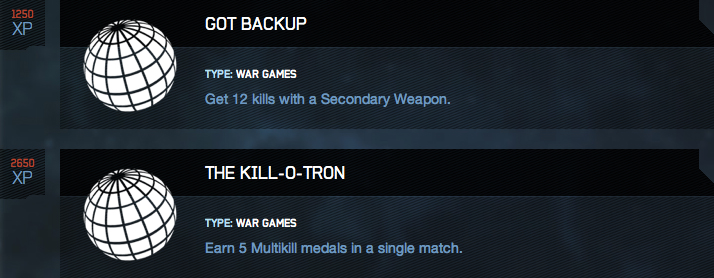
Whew, easy today!
HaloFanForLife’s first ever Charity Tournament!
You still have time to sign your team up for the tourney. Maps to be played on will be revealed Jan 26 so you can practice early.
Final sign-up deadline is February 3, 2012.
Click the link above for all the details, rules and info.
-Sal
It first starts out with some needless explanation about some press junket stuff. (Nothing really to note here.)
THEN…
Spartan Ops frenzy!
First we’re treated to a Spartan Ops recap:
Of course if you’ve been following my blog, then you already know all this through my comic book renditions of the videos.
The bulletin shows the stats below:
Stats summary of the first half of Spartan Ops Season 1
8,125,908 games were played in Spartan Ops Matchmaking in the first two months.
4,696,752 hours were spent playing Spartan Ops Matchmaking in the first two months.
901,258,308 kills were earned in Spartan Ops Matchmaking in the first two months.
262,150,257 assists were earned in Spartan Ops Matchmaking in the first two months.
167,101,619 deaths were recorded in Spartan Ops Matchmaking in the first two months.
“Shootout In Valhalla” was the most played Mission in the first half of Spartan Ops Season 1.
How do you stack up against the following averages?
49.77 was the average number of kills earned per game in Spartan Ops Matchmaking in the first two months.
6.77 was the average number of assists earned per game in Spartan Ops Matchmaking in the first two months.
7.15 was the average number of deaths recorded per game in Spartan Ops Matchmaking in the first two months.
From here, BS Angel goes into some explanation about the previous 5 episodes. Then there’s this…
“Episode 6, 7, 8, 9, 10 – I’m not going to spoil it for you, but let’s just say that the first half of the season was a warm up. As I mentioned in the Episode 1 notes, we had a lot of set up to do to get this corner of the Halo universe up to speed. And now that it’s really moving? Well, you ain’t seen nothing yet.
Hints of what’s to come: Death, disfigurement, betrayal and… oh, I’ve said too much already (and that’s just the humans I’m talking about)!”
Also shown is a teaser pic from Episode 6. Hmm, who is that Green and White Spartan. Or is it really green?

From there the bulletin moves on to Matchmaking Playlist updates.
Community Forge Test playlist goes active as well as Waypoint forum threads for your feedback on those maps.
Two specializations are unlocked for those who didn’t get the game at release. Pioneer (Fast track-xp boost) and Pathfinder (gunner mod).
Infinity Challenge comes to a close (thank gawd!).
And finally sad news for Halo 2 PC players (of which there is apparently only 20 or so left) that as of Feb 15, it’s being shut off for good from servers.
This was a good bulletin for those who love Spartan Ops (raises hand). Not to bad for everything else.
Though I would have liked to have heard something of the Title Update and maybe addressing some persistent complaints from Halo 4 gamers.
Go to the link at the beginning of the article for the full bulletin.
-Sal
Well here ya go! Jen Taylor posted this on Twitter. I just had to repost it.

MMM, this sounds good. I may just have to try this. I’m not much of an alcohol drinker, but this seems interesting and possibly tasty.
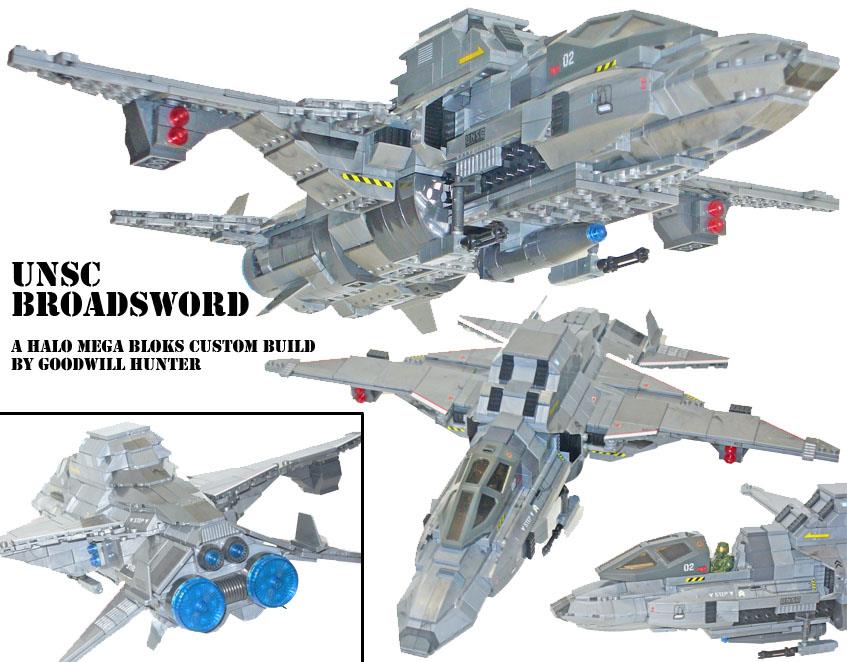
My friend “Goodwill Hunter” (whom I’ve previously interviewed on the blog), has posted a brilliant custom UNSC Broadsword over on SpartanBloks. I highly recommend checking out the thread for more pic of this great custom.
Now hopefully Mega Bloks will take notice and make the Broadsword a reality as a building set. (Hmm, maybe news at this year’s New York Toy Fair???)
-Sal
This one might take a little more time, but wow I see some great possibilities coming from this drawing.
Here is a Brute Warrior Concept:

There’s a good bit of detail in here even without shading. Have at it folks and remember you can submit your colorized versions to sal@halofanforlife.com and I’ll get them posted in this article asap.
UPDATE Here’s what I came up with. This took me a little longer than previous drawings. I put about 30 minutes into this one.

2nd UPDATE I though it would be neat to show how I came up with this. Below I show you the steps I took to make the above colorization.

Starting with the top left going right: Original scanned sketch; Base colors added; the sketch “multiplied” in Photoshop over top of it. While adding color, I actually have the sketch visible and “paint” the colors on a layer below it.
Second row left to right: Shadows; shown with base color; shown with sketch. Again, the sketch is always present so I know where to color in shadows as needed. This just shows you the layer of the shadows more clearly.
Bottom Row left to right: Highlights (they were too light to show by themselves so I showed them on the base colors; with the sketch added; and the FINAL with Base colors, shadows and highlights all together.
The “highlight” layer has the layer effect of “lighten at 25% fill,” while the shadow layer has the layer effect of “multiply at 50% fill.” If I didn’t add those layer effects the shadows would be too dark and the highlights too light. By altering there “fill” transparency, I can effectively show just the amount of shadow and highlight I want without having to change colors. And it also helps to blend the base colors with the shadows and highlights.
As you can see, you can actually be a bit rough in your colorization when using Photoshop. Using layers and layer effects can go a long way with cleaning up the roughness of colorization.
-Sal